
No, there are no viruses or issues with your PDF
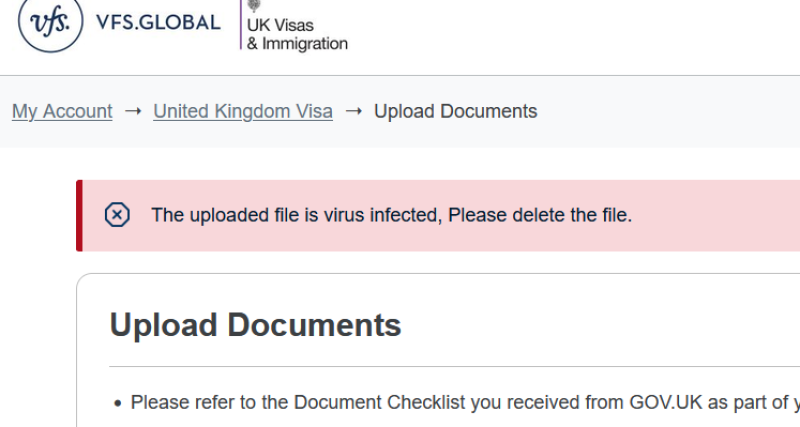
The VFS Global PDF upload error is common and very well documented. This Reddit post has more than 192 comments at the time of writing and dates back more than two years. The error is still alive and well; and no, it does not necessarily mean your documents contain a virus.
There is an easy solution. You may also be receiving a different PDF upload error rather than the virus warning, but the method below can often resolve that too.
A slightly over-secured platform
If VFS Global displays the message “The uploaded file is virus infected, Please delete the file”, it does not necessarily mean the PDF contains a virus. This error can occur with legitimate digitally generated PDFs, including bank statements and certified translations.
In addition, VFS Global may charge you if you are unable to upload your supporting documents yourself and require a member of staff to do it for you during your appointment.
The solution is simple
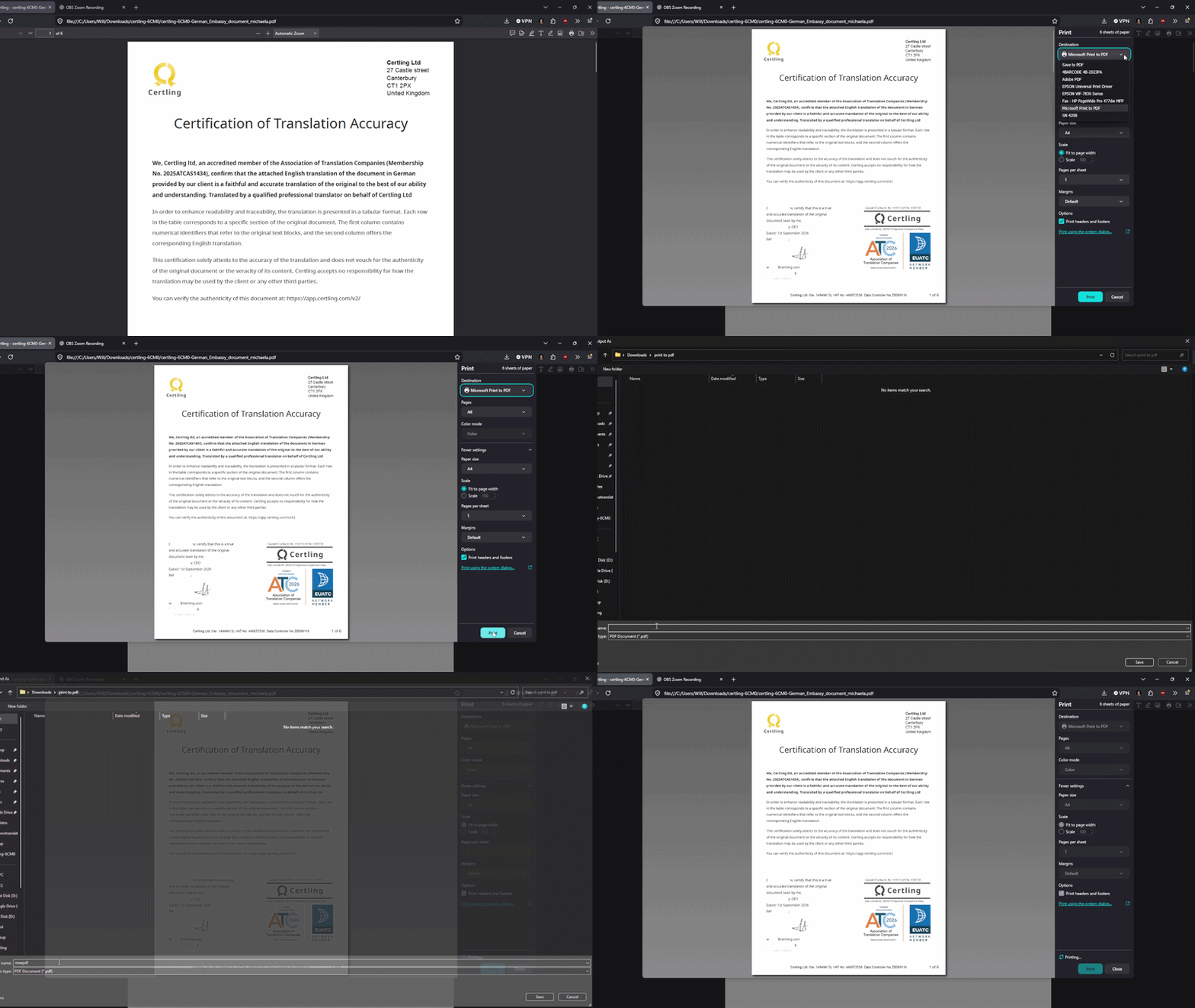
The most reliable method we have found is to effectively make the system see your PDF as if it were a scanned document.
You do not need to physically print and rescan it. Instead, open the PDF and select Print. From the printer drop-down menu, choose Microsoft Print to PDF and save the new PDF.
There may also be a standard Print to PDF option available, but in our experience Microsoft Print to PDF is the most reliable option for resolving the VFS Global upload error.